Control room console

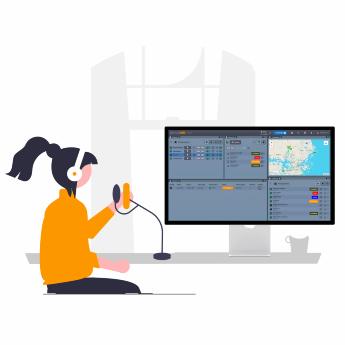
With GroupTalk PC Dispatch you can coordinate your resources from a web browser on a PC or Mac computer. This gives you full control over your team, all from the convenience of a desktop interface.

PC dispatch operator using GroupTalk platform for real-time command and control communication.

Monitor team activities

Talk to your team members in real time, see their live location, and monitor their status to ensure everyone is where they need to be from your PC or MAC. Ideal for security management, logistics coordination, and emergency response, GroupTalk’s PC Dispatch (command and control) provides seamless team communication, keeping your operations efficient and synchronized.

Watch GroupTalk PC Dispatch video

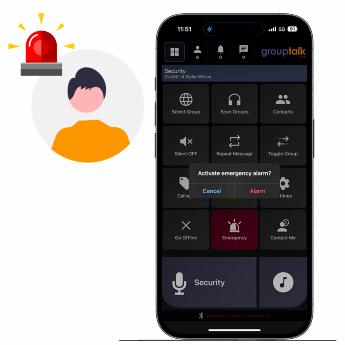
Illustration of a woman standing next to a globe, representing worldwide communication and international reach.

Instant PTT communication

Instantly connect with individuals, groups, or entire teams using powerful Push-to-Talk (PTT) voice communication from the Dispatch client. You can collaborate in an unlimited number of PTT groups with as many users as you need. This enables companies and their employees to quickly and easily share information, get answers to questions, coordinate work, solve problems, and make decisions in an efficient and secure way, saving time and reducing the risk of stress and misunderstandings in the work group. GroupTalk PC Dispatch keeps your team always one step ahead.

Read about GroupTalk across industries
iPhone displaying a personal alarm alert next to an illustration of a man receiving the alert.

Manage alerts and emergencies

Receive real-time alerts from your team and deploy the right resources instantly to handle any emergency. Stay in control when a team member is in danger and requires immediate assistance. Features include live location tracking, remote voice listen-in, alert text messages, and emergency call setup. With continuous monitoring and alarms that stay active until cleared, GroupTalk ensures seamless emergency response management in control rooms and mobile apps.

Learn about Personal alarm
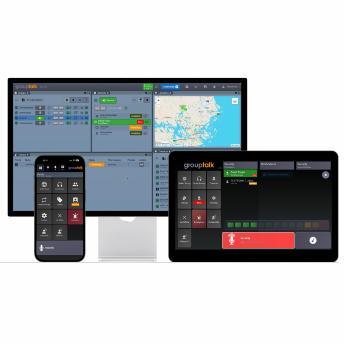
Grouptalk setup displaying an iPhone, iPad and PC side by side, illustrating multi-device connectivity.

Seamless integration

GroupTalk’s PC Dispatch integrates seamlessly with the smartphone app, ensuring flawless communication between mobile and desktop users. This cross-platform solution provides organizations the flexibility to choose the device that best fits their work environment—whether desktop, tablet, or smartphone—while maintaining real-time collaboration. No matter the device, your team can communicate effortlessly—enhancing productivity and ensuring seamless coordination across all Android and iOS devices they already use. No need for large installations or complex infrastructure.

Learn about Why GroupTalk is cost-effective
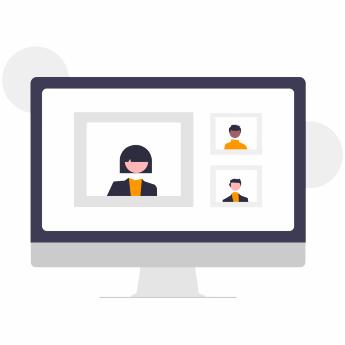
Illustration of a desktop computer with a live video call in progress, showing multiple participants on screen.

PC Dispatch features

Use the Dispatch features such as full-duplex voice calls, live video streaming, location tracking, voice recording, group locking, group patching, text messaging, private call. A dispatch user can monitor multiple PTT groups (channels) and private calls simultaneously, as well as manage queues, panic alarms and view user locations in real time. Make your team feel safe with GroupTalk, the business-critical solution for your team.

Learn about Our collaboration features